

Designing Testimonials That Actually Look Good
What’s the one thing that can instantly boost your credibility, build trust, and make people want to work with you? Testimonials!
A beautifully designed testimonial section does more than just display kind words from happy clients - it reassures potential customers that they’re in good hands. The best part? With Divi, you have endless design possibilities to make testimonials not only look great but also fit seamlessly into your site’s branding.
And to make your life easier, I’ve created three lovely, ready-to-use testimonial sections that you can grab for free and customize in minutes!
No custom CSS needed (this time)!
These layouts work with standard Divi settings, making them easy to use for everyone.
Important!
This free Testimonials Sections JSON layout requires that you have the Divi theme for WordPress installed (version 4 and up). It is not included with this download.

Free Resources for Divi Lovers
Access this layout and dozens of other freebies - available exclusively for newsletter subscribers.
New here?
Join the newsletter to unlock the Freebie Library and get weekly Divi tips, tutorials, and design goodies.
Already subscribed?
Go straight to the Freebie Library and download this layout - plus lots more!
Best Practices for Designing Testimonials in Divi
Let’s be honest—testimonial sections are often an afterthought. We slap them onto a page, throw in some quotes, and call it a day. But with just a few design tweaks, you can transform those bland testimonial blocks into an engaging, polished, and professional-looking section that adds real value to your site.
Here are some quick tips to take your testimonials from “meh” to ✨ wow ✨
Use a subtle background color for elevation
To give your testimonial cards an elevated look, choose a background color that is brighter than the section’s background. This creates depth and makes the testimonials stand out without overwhelming the overall design.
Avoid excessive borders
While borders may seem like a good way to separate content, too many can overwhelm the layout. Instead, use a subtle box shadow to add depth and definition to each testimonial without creating a cluttered look.
Use serif fonts for testimonial text
Serif fonts tend to communicate trust and professionalism, which is why they are ideal for testimonial text. They enhance the feeling of credibility, making your testimonials more impactful.
Incorporate subtle hover effects
Adding small, smooth hover effects can make your testimonials feel more interactive and engaging. Simple animations or color changes on hover can create a dynamic, user-friendly experience.
💡 You don’t have to use all these tips, but even applying one or two can make a huge difference!
How These Free Testimonial Sections Were Built
Now, let’s get into the fun part—how I put these layouts together!
1️⃣ Using the Standard Testimonial Module (Quick & Easy)
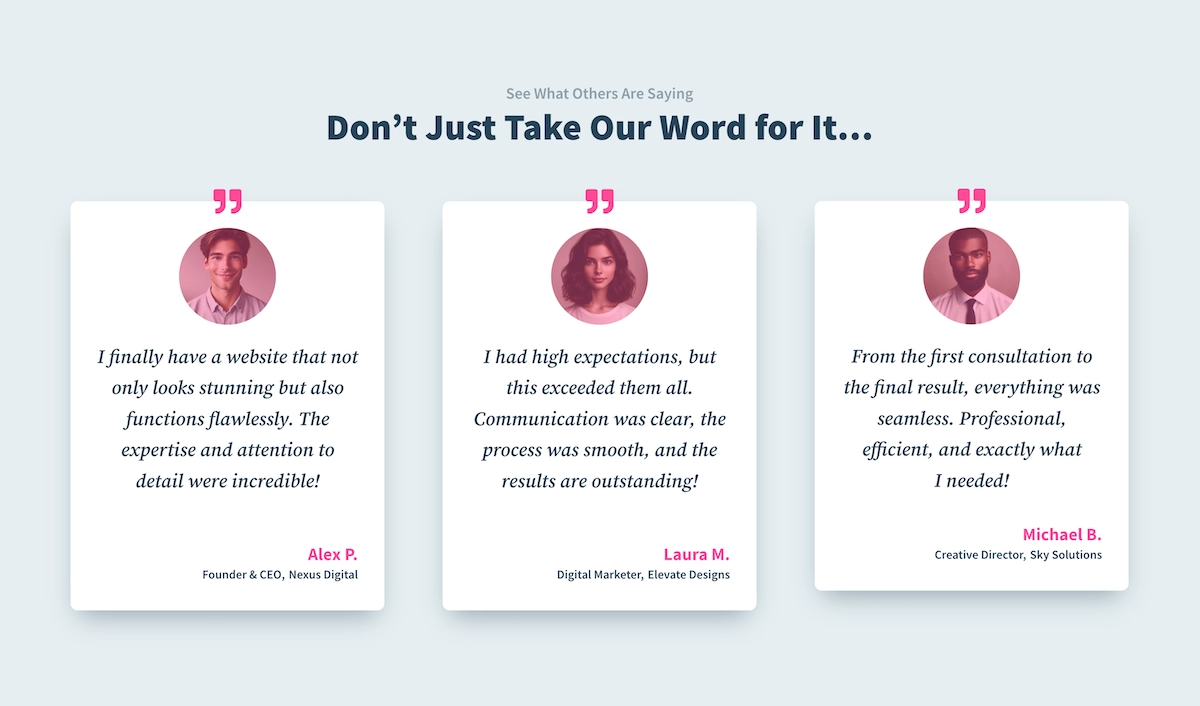
Section #1 built with the standard Divi Testimonial modules
Divi’s default Testimonial module is a great way to display testimonials, and you can apply all of the design tips above. The downside? Customization is somewhat limited—you can’t tweak the layout much beyond the default settings. Another limitation is that testimonial heights are not automatically equalized, which can cause uneven layouts.
💡 If you're a Divi Toolbox user, you don’t need to worry about this! Our plugin has an option to equalize module heights, including Testimonials, for a perfectly aligned look.
2️⃣ Using Columns for More Design Control
If you want full creative freedom, you can build your testimonial sections using columns instead of the default module. Divi columns can serve as each testimonial card background.
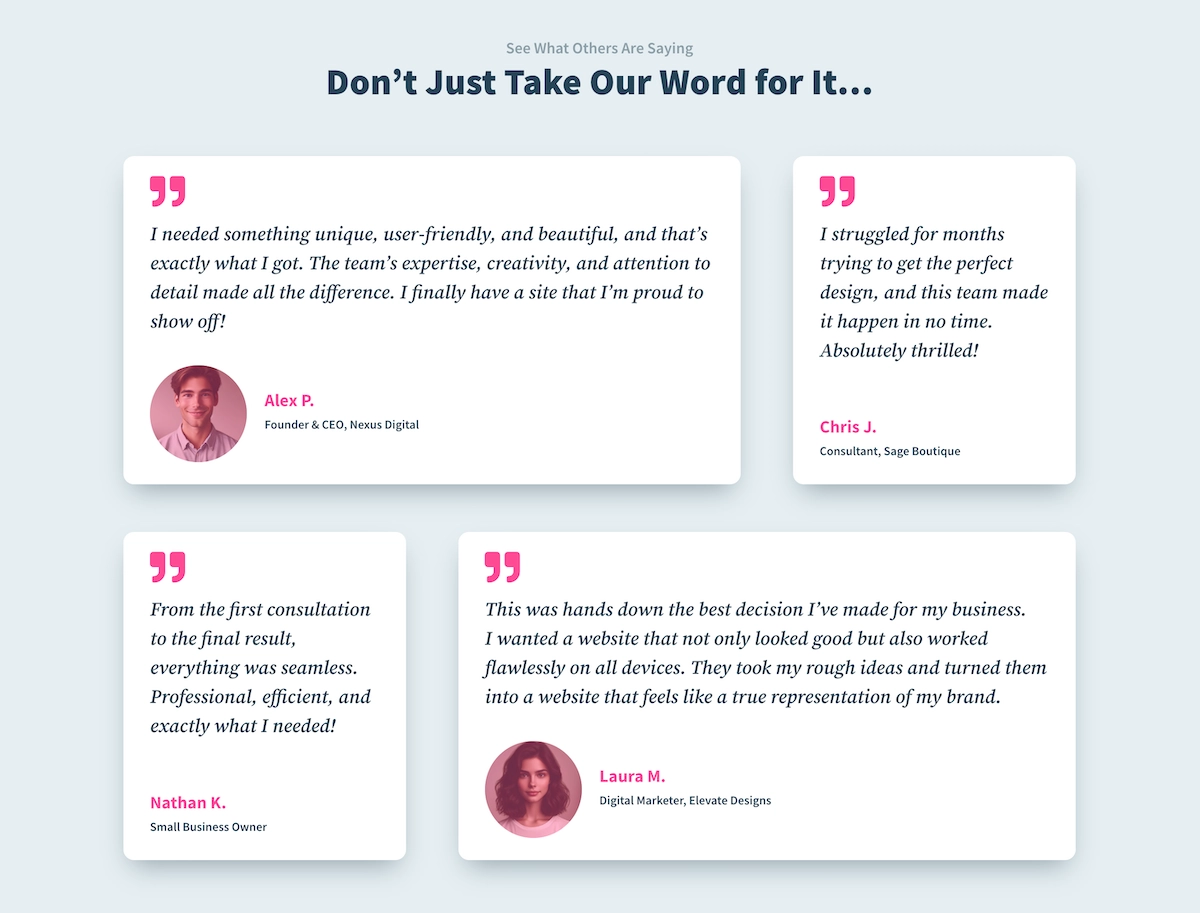
Section #2 built with the multiple modules: Icon, Text and Image
This approach has several benefits:
✔️ Perfectly aligned testimonials – Using equalized column heights ensures that all testimonial cards stay the same height, no matter how much text is in each one.
✔️ Greater design flexibility – Instead of being limited by the Testimonial module’s structure, you can control each element separately (icon, image, text, etc.).
✔️ More layout possibilities – With creative use of absolute positioning and column spacing, there are endless layout variations you can achieve!
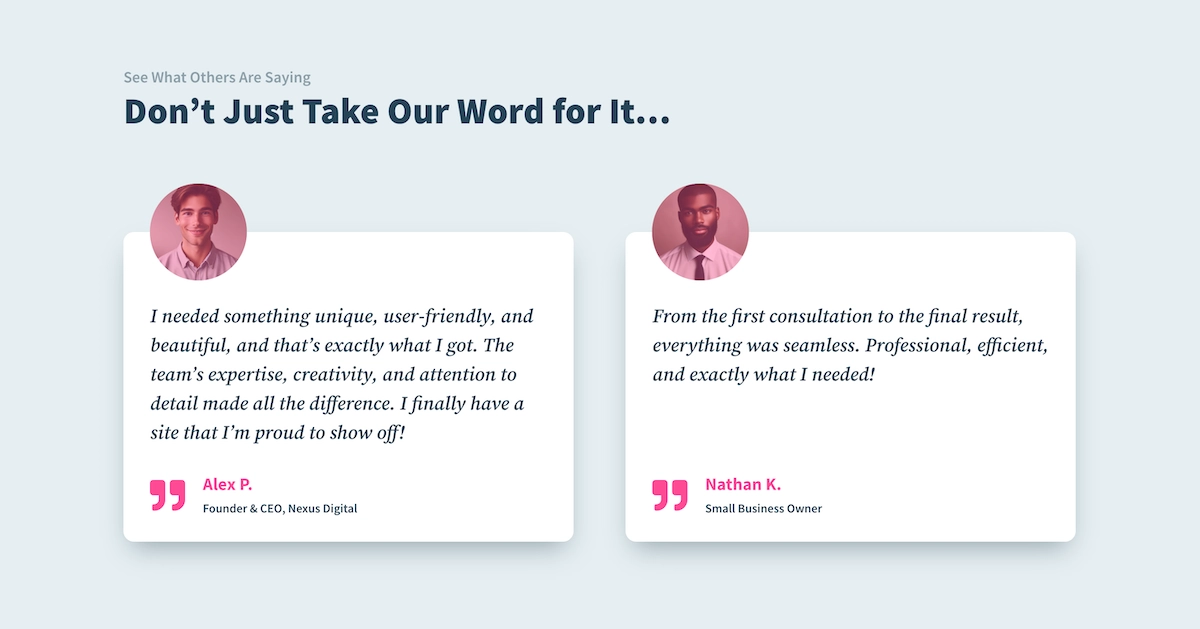
Section #3 built with the multiple modules: Icon, Text and Image
That's it!
Grab the Free Divi Testimonials Layout Pack
A well-designed testimonial section does so much more than just display reviews—it adds credibility, builds trust, and strengthens your brand. And with these free layouts, you don’t have to start from scratch!
Want more free resources? Check out the Divi Freebies category on the blog for more layout packs and design inspiration!
Let me know in the comments— Which layout is your favorite? And how do you style your testimonials in Divi? Would love to hear your favorite design tricks!





0 Comments