

Divi 5 is officially out of beta - it launched last week, and I have a lot of feelings about it.
I've spent the better part of the last year testing it, breaking things, and figuring out what actually works. So before we get into tutorials and deep dives (and there are plenty coming), I want to start here: with the stuff that genuinely excites me. The features that made me think - ok, this changes things.
If you haven't opened Divi 5 yet, this post is for you. Consider it a warm-up.
#1 Builder Speed & One-Click Editing
You feel this one within the first five minutes. Everything is faster - page loads, navigation, editing. You click on an element and you're already in it. No hunting for the gear icon, no extra clicks to open settings. It just works.
I know the interface change is jarring at first. I've seen the comments - it looks like Elementor, I preferred Divi 4. And I get it, my first impression wasn't love either. But this is one of those cases where "different" and "better" are the same thing. Once it clicks, there's no going back.
#2 Customizable Breakpoints & Responsive Editing
Anyone who's spent time wrestling with mobile layouts in Divi 4 will appreciate this immediately.
You're no longer locked into three fixed breakpoints - you can add your own and define the exact screen widths. But the bigger win is the workflow: switch to a device preview and every change you make applies only to that screen size. No more toggling responsive icons control by control.
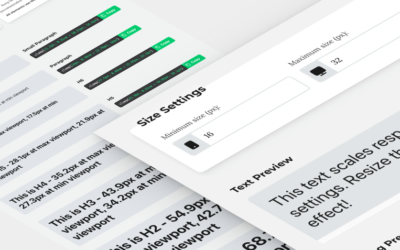
Add CSS clamp into the mix - a native responsive unit that automatically scales font sizes and spacing based on viewport width - and the amount of device-specific tweaking you need drops dramatically. This is one of those features that saves real time on every single project.
#3 Global Variables, Presets & Your Design System
This is the one I talk about the most - because it changes how you build, not just what you build with.
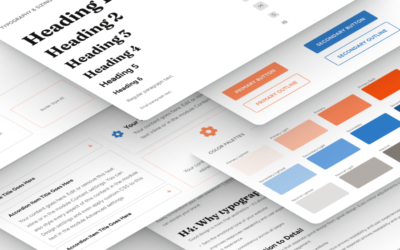
Global Variables let you define your colors, fonts, and spacing in one place and pull them anywhere. Presets let you save styled elements - with borders, shadows, backgrounds, the whole set - and reuse them instantly. Combine the two with fluid CSS units and you have a working design system, built right inside Divi.
The feedback I've heard from students since launching my Design System mini-course has been genuinely moving. People saying they finally feel confident, that projects feel consistent, that they're faster without cutting corners. That's what a good system does - it removes the guesswork.
#4 Module Groups, Flexbox & Grid
The power user section. Bear with me.
Module groups, nested rows, nested modules, customizable HTML tags, Flexbox, CSS Grid - all of it is now available inside the builder. What this means in practice: you have real, modern layout control without writing a single line of CSS.
In Divi 4, I could always push things to where I wanted them - but it took custom code. In Divi 5, the builder just... does it. The structural possibilities are genuinely unlimited, and the code it outputs is cleaner for it.
#5 Dynamic Content & the Loop Builder
Dynamic content existed in Divi 4, but in Divi 5 it became a completely different thing.
The Loop Builder lets you design fully custom post listings from scratch - blog feeds, portfolios, testimonial grids, whatever you need - with pixel-level control over layout and content. Pair it with ACF and custom post types, and you can hand clients a website that looks exactly right and is genuinely easy for them to update themselves.
This is the feature that turns Divi into a proper site-building system, not just a page builder.
Your Turn
Which of these features are you most excited to dig into? Or - if you're already using Divi 5 - is there something that surprised you (good or bad)? Drop it in the comments, I'd love to know where everyone's at.
Divi 5 content is going to be a big focus here going forward - tutorials, workflows, all of it. Subscribe on YouTube so you don't miss what's coming.
And if you want a structured starting point rather than jumping in blind:
🔗 Divi 5 Design System Mini Course - the best first step if you want to build with intention from day one.
🔗 Divi Stylist Academy Waitlist - the current round just kicked off, but the next one will open again. Get on the list.





0 Comments